
Follow a moving light, add optional alternating sounds, and work through a structured, self-guided exercise directly in your browser.
DIYEMDR is a free, EMDR-inspired tool combining visual bilateral stimulation with memory cues, stabilizing anchor words, and emotional check-ins. No dedicated stimulation equipment is needed.
How the online tool works
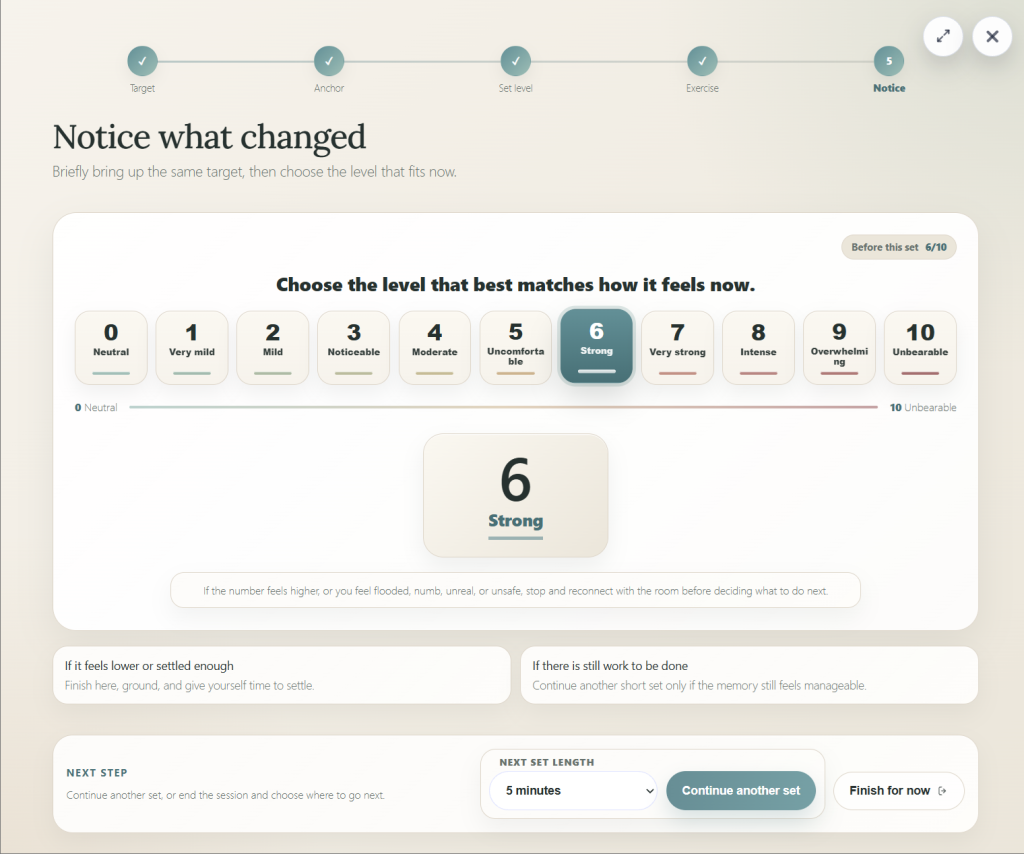
Unlike a standalone moving-dot animation, DIYEMDR guides you through five steps. These screenshots show the actual exercise interface.
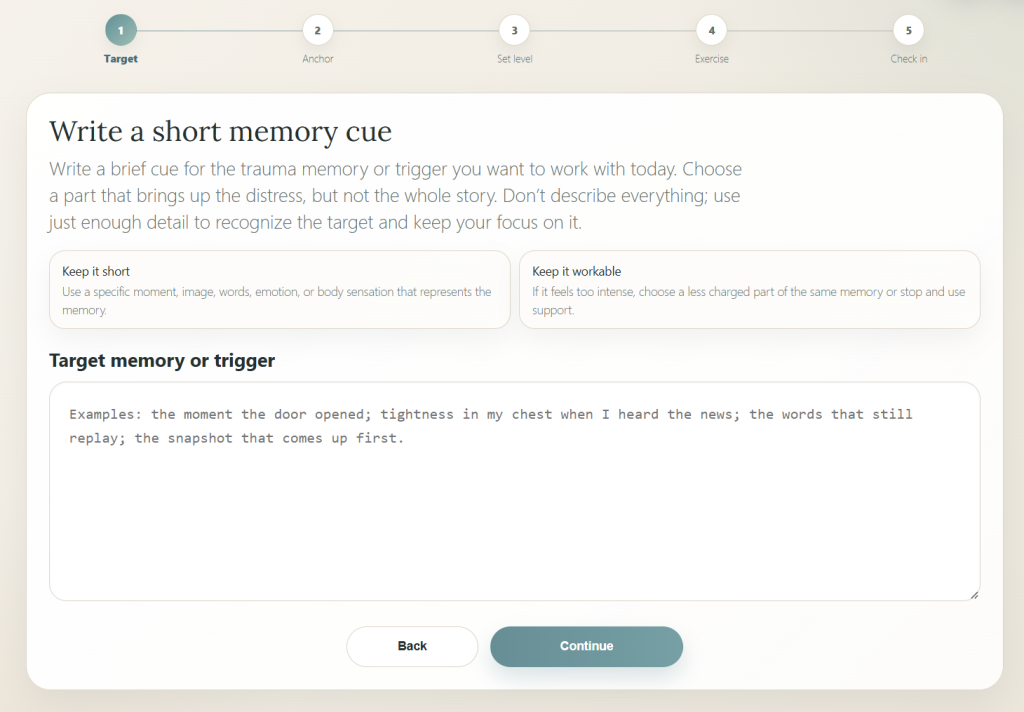
Enter a short phrase identifying a specific memory or trigger. A single moment, image, or sensation is enough; you don’t need to write out the entire story.
Choose something you can reflect on without becoming overwhelmed.
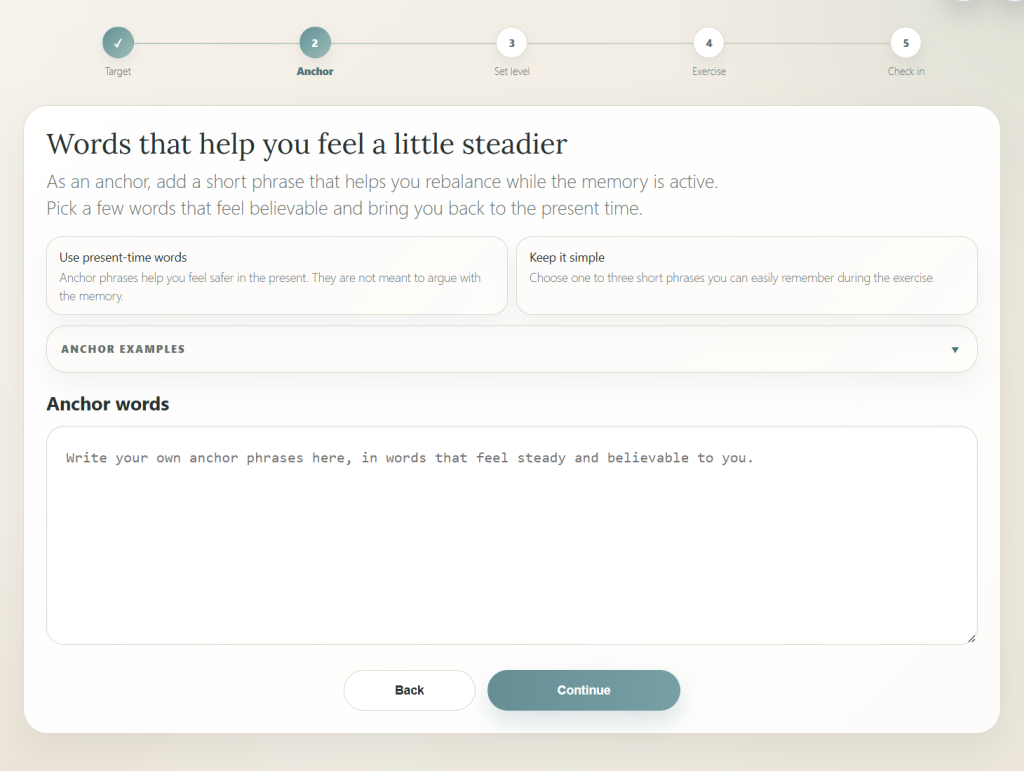
Choose a short, believable phrase that helps you stay connected to the present. For example, “I can pause this whenever I choose.”
Built-in examples can help if you’re unsure where to start.
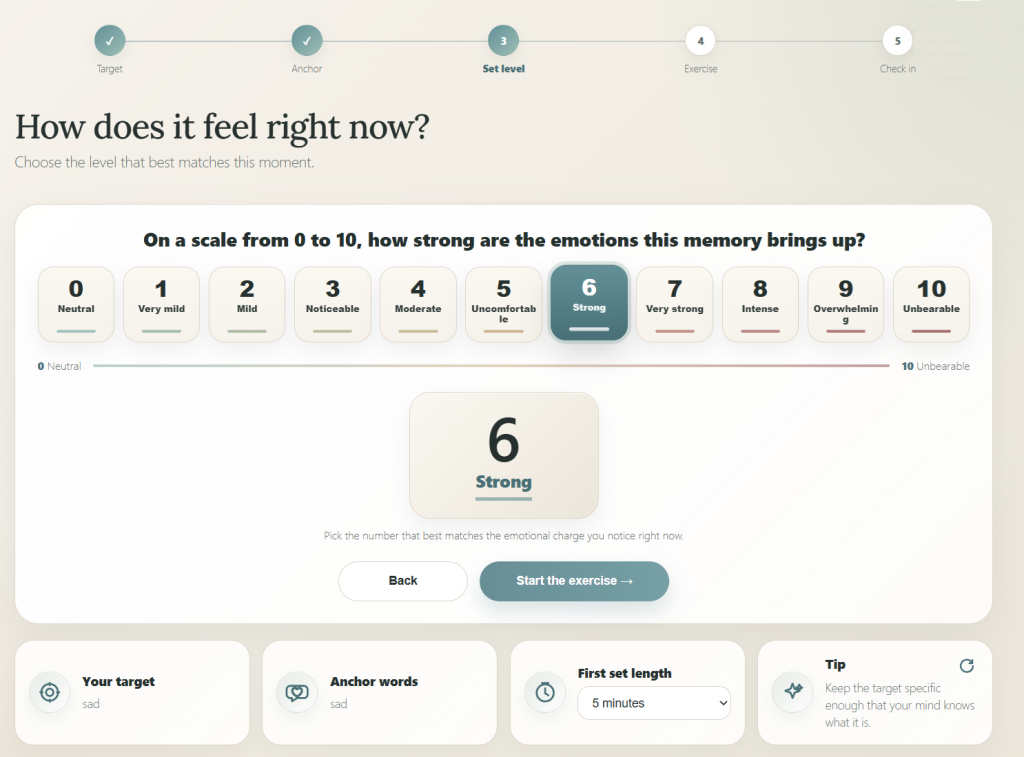
Select your current emotional intensity from 0 (neutral) to 10 (unbearable). This gives you a starting point to compare with your rating after the exercise.
Choose your initial set length before starting.
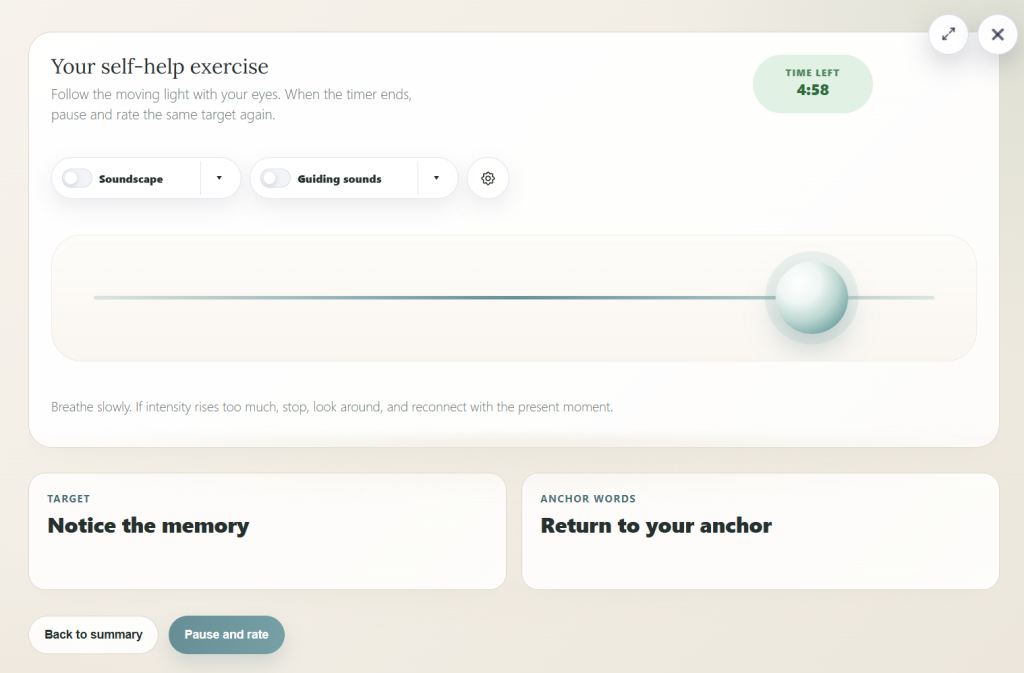
Let your eyes follow the light comfortably from side to side. Optional guiding sounds alternate between left and right; background soundscapes can be enabled separately.
Use the settings to adjust the experience, or pause whenever needed.
Rate the same cue again. The intensity may decrease, stay unchanged, or increase. There’s no score you need to achieve.
Finish and reconnect with your surroundings, or consider another short set only if you remain comfortable and grounded.
Make the controls work for you
Adjust the orb’s movement to a comfortable speed. Fullscreen mode provides a larger viewing area, particularly on desktop.
Stereo headphones help distinguish alternating guiding sounds. Soundscapes provide optional ambience and are not the same as bilateral tones.
Choose a set duration, pause when needed, and decide whether to finish after each check-in. Longer sessions aren’t automatically better.
What does the research say?
Research suggests that following a moving light while recalling a memory can make that memory feel less vivid and emotionally intense. One leading explanation is the working-memory hypothesis.
Your brain has limited mental processing capacity. Recalling a memory and tracking a moving object both require attention. When these tasks compete for the same resources, the memory may lose some of its emotional impact. Think of it as turning down the sharpness of a photograph rather than erasing the picture.
A 2021 meta-analysis of 53 laboratory studies found that performing an additional task during memory recall generally reduced both vividness and emotional intensity. Interestingly, this effect was observed with negative and positive memories.
These findings do not establish the effectiveness of DIYEMDR itself. Professionally delivered EMDR for PTSD is a structured treatment involving assessment, preparation, and clinical supervision.
DIYEMDR is intended for manageable self-reflection, not independent treatment of severe trauma. Stop if you feel overwhelmed, detached from reality, unsafe, or unable to stay oriented to the present. Seek professional support for distressing or complex trauma symptoms.
Ready to try DIYEMDR?
Explore the moving-light exercise for free. Start with something manageable and take breaks whenever you need them.
Open the bilateral stimulation tool →